How it works
From “how do I even start this” to sent.
Six movements, one editor. Here is what a work message looks like from the first messy draft to the moment you send it — with the words you chose staying chosen.
Beta opens this season — starting with people who write at work in a second language.
THE WALKTHROUGH
Draft → audience → English → grammar → vocabulary → send
The same path every time. You stay in control of each step, and nothing reaches the send button until you approve it.
Say it however it comes out
Open a document and write the message the way you actually think it — your first language, half-English, or three bullet points. Skipping the “translate it in my head first” step is the point: that is where the meaning usually gets flattened.
Tell it who is reading
A client who has gone quiet, a manager who wants the short version, a channel of teammates, a public LinkedIn post. The register changes; the facts do not.
Read the English version
Help arrives as a diff over your text — accept it, reject it, or rewrite it. Nothing is silently replaced, so you can see exactly what changed and decide whether it still sounds like you.
Fix the grammar that keeps repeating
Articles, prepositions, tense, word order. Each correction is explained in your language, so the same mistake stops coming back next week.
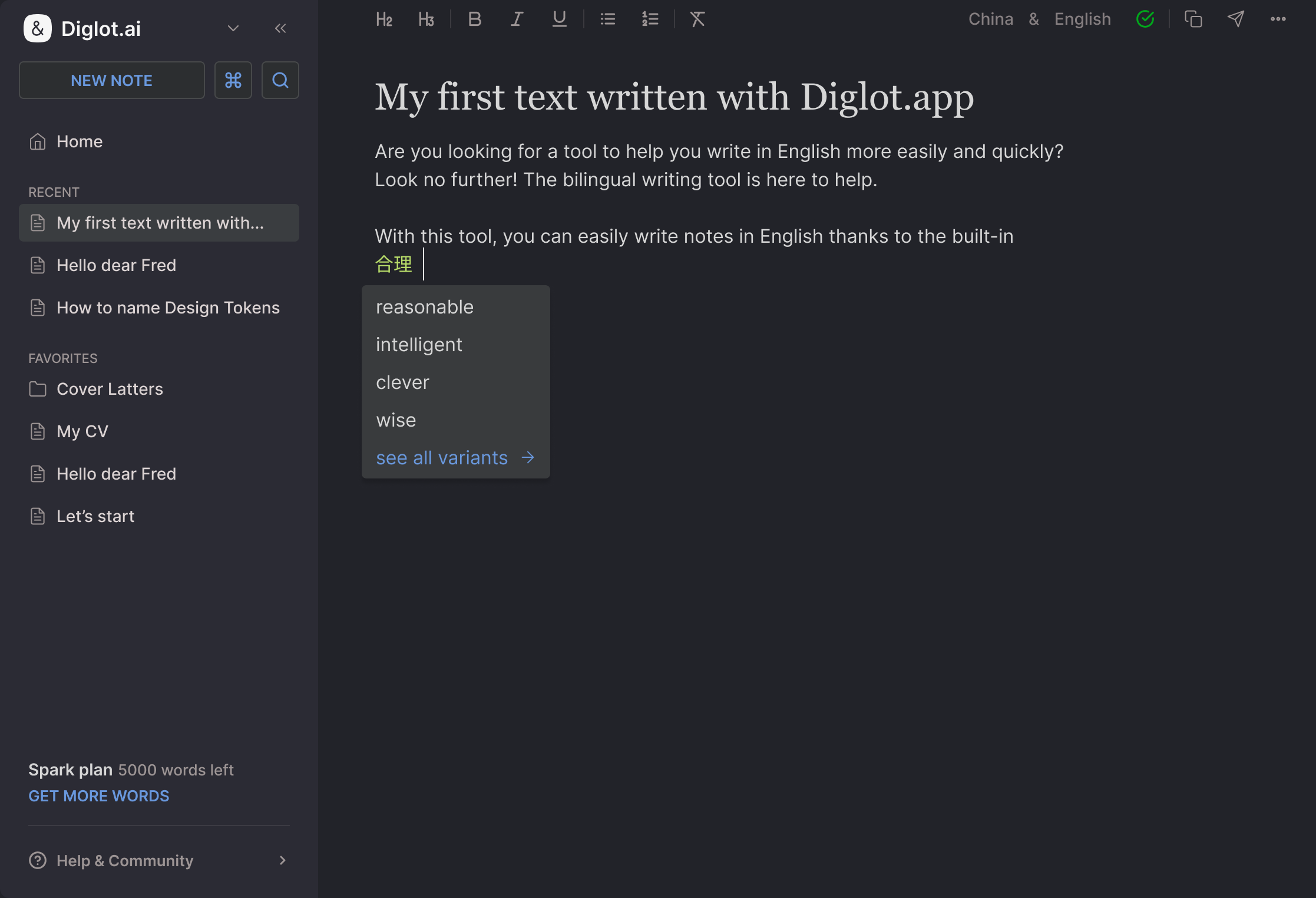
Teach it your vocabulary
Product names, internal terms, the way your team says things. Save them once and they are respected from then on instead of being “corrected” into something generic.
Send it — and reuse it
Copy it out, or write in place in Gmail, Slack, or Docs. The status update, the invoice chase, the deadline email — next time they take a minute, because you have already decided how you say them.
WHY ONE EDITOR
It sounds like you because it never leaves the page
When the draft, the translation, and the grammar pass live in three different tools, your voice is what gets lost between them. Here it isn’t.
Your words travel with you
Save a term or a phrasing once and it holds across every message — no tool quietly swapping it for something more generic.
Checks run on the real draft
Tone and grammar read the live document — not a stale copy pasted into another tab and pasted back with half your edits missing.
Sending is the last step, not a gamble
Because meaning, tone, and grammar were handled in one pass, you send it once instead of rewriting it five times.
Good to know
Do I have to use every step?
No. Most sessions are two steps: write it in your language, read the English. The rest — tone, vocabulary, grammar explanations — is there when the message matters more than usual.
Does it write the message for me?
It writes a version. Every change arrives as a diff you approve, so what gets sent is what you decided to send — including the parts where you overrule it.
Can I write in my first language?
Yes — that is the intended way to use it. Write in the language you think in and let the English come second, instead of writing weaker English and then trying to repair it.
When can I start?
Copynote is in beta, onboarding people who write at work in a second language first. Apply for the beta and we’ll reach out as spots open.
Try the workflow
on your next email
Copynote is in beta — we’re onboarding people who write at work in a second language first. Apply and we’ll reach out as spots open.