Send it in English.
Stop rewriting it five times.
Copynote turns the email, report, or message you drafted in your own language into English that sounds like a competent colleague — not a translation.
Beta opens this season — starting with people who write at work in a second language.
THE PROBLEM
A three-line email shouldn’t cost you half an hour
When English isn’t your first language, the cost isn’t grammar. It’s the second-guessing — did that sound rude, too soft, too foreign?
The old way
- Draft it in your language
- Paste it into a translator
- Paste that into a grammar checker
- Ask a colleague whether it sounds rude
- Rewrite it once more, just in case
- Send it 40 minutes later, still unsure
The Copynote way
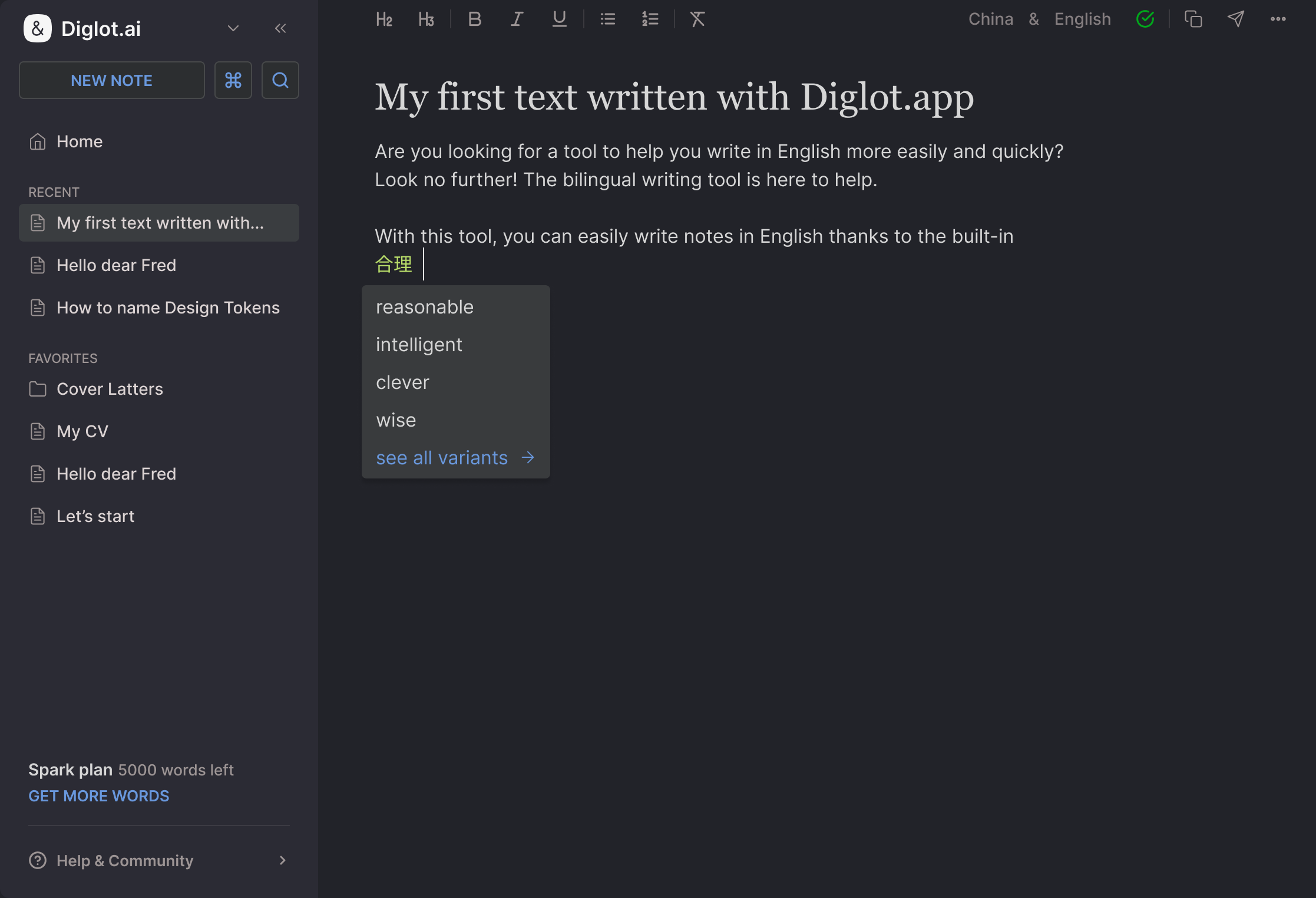
One editor. Write it however it comes out — your language, half-English, bullet points — and get a version you can send, with the tone you chose and the terms your team uses. Then reuse it, because next week’s email is the same email.
See the workflowEverything the message needs, in one place
Meaning, tone, grammar, and your own vocabulary — carried from the draft to the send button.

Write the message the way you think it, then turn it into English that keeps your meaning and your intent.

The same update, rewritten for a client, a manager, or a Slack channel — direct without being blunt.

Articles, prepositions, tense — the mistakes that make good work look careless, explained in your language.

Product names, internal terms, and the phrasing your team actually uses — kept consistent in every message.

Gmail, Slack, LinkedIn, Docs — the same workflow in the browser, without copy-pasting between tabs.

Work text is confidential by default. We never train models on what you write.
Where it earns its keep
The messages you rewrite the most
Chasing an invoice without sounding aggressive. Telling a client the deadline moved. Pushing back on a manager’s plan. Writing the weekly update so it reads as confident rather than apologetic. Introducing yourself on LinkedIn without the stiff textbook English. These are the ones that cost you the most time — so they’re the ones Copynote is built around.
PRICING
Start free. Upgrade when it’s part of your routine.
No artificial urgency, no credit card to begin.
Free forever
For the occasional email you want to get right.
- Draft-to-English rewriting
- Grammar review
- Tone presets
- Starter word limits

$19 / mo
For people who write in English every working day.
- Everything in Free
- Higher word limits
- Company vocabulary
- Full tone and register control
- Smart-tier AI Co-writer
$29 / mo
For client-facing work where every message counts.
- Everything in Spark
- Premium models · higher quotas
- Longer documents and reports
- Team vocabulary sharing
- Priority support
About your text
Work drafts are confidential. We treat them that way.
The email you’re rewriting usually has a client’s name in it, a number that isn’t public yet, or a problem you haven’t told anyone about. We don’t train models on what you write, we don’t keep it longer than your account does, and deleting a document deletes its history with it.
Good to know
How is Copynote different from a grammar checker?
A grammar checker fixes what you already managed to write in English. Copynote starts a step earlier — you write in the language you think in, and it produces the English version, then keeps the tone, the terminology, and the grammar consistent from there.
How is it different from a translator?
A translator gives you correct sentences that still read as translated. Copynote writes for the situation: a status update to a manager, a follow-up to a client who has gone quiet, a polite pushback on a deadline.
Will it sound like me or like a robot?
You set the register once — direct, warm, formal — and it holds across messages. You can keep your own phrasings and your team’s terms in your vocabulary so they are never “corrected” away.
Is my work text confidential?
Yes. Work drafts often contain client names, numbers, and internal detail. We do not train models on your text, and you can delete a document and its history at any time.
When does the beta open?
We are onboarding people who write at work in a second language first. Apply for the beta and we will reach out as spots open.
Join the Copynote beta
and send it the first time
We’re onboarding people who write at work in a second language first. Apply and we’ll reach out as spots open.